
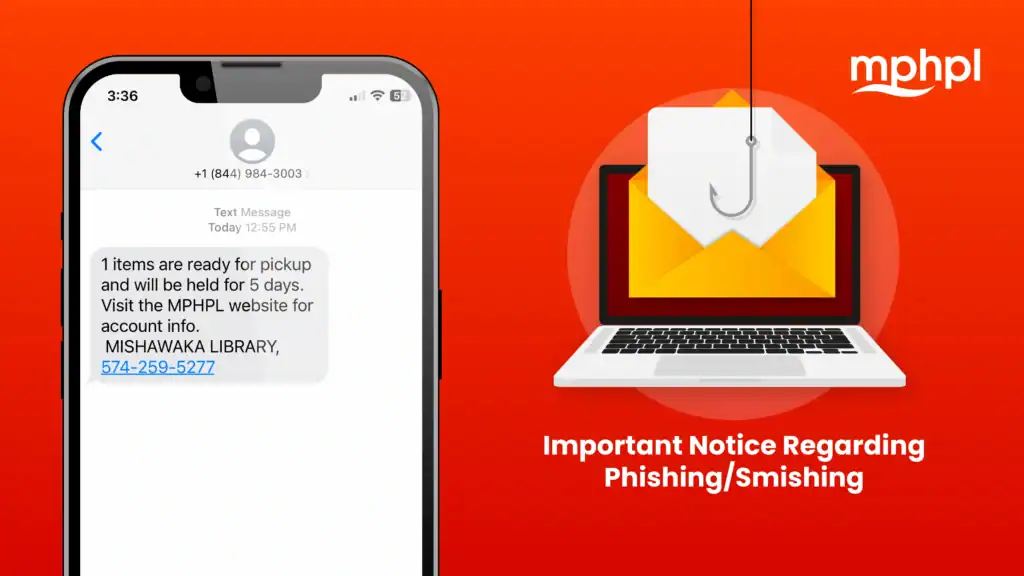
As scammers get more sophisticated, hoping that you’ll click on a link that could install harmful malware on your device or worse, we remind patrons that all official MPHPL text reminders will never include a live link.
Email reminders will continue to include links to MPHPL programs, products and services.
According to the United States Secret Service, phishing (email) and smishing (text message) are types of fraud schemes that criminals use to elicit funds, credit card and personal identity information or install malware on electronic devices.
Safer Internet Day
Safer Internet Day is celebrated globally in February. The day aims to promote safe and positive use of digital technology. To learn how Safer Internet Day has evolved, visit the connectsafely.org.
October is Cybersecurity Awareness Month
Since 2004, the President of the United States and Congress have declared October to be Cybersecurity Awareness Month, a time dedicated for working together to raise cybersecurity awareness. The Cybersecurity and Infrastructure Security Agency (CISA) and the National Cybersecurity Alliance (NCA) recommend the following tips to make us more secure when connected.
Four Easy Ways to Stay Safe Online
Use Strong Passwords – Strong passwords are long, random, unique and include all four-character types (uppercase, lowercase, numbers and symbols). Password managers are a powerful tool for creating strong passwords.
Turn On MFA – Enabling multifactor authentication (MFA) makes you significantly less likely to get hacked. Enable MFA on all your online accounts when available, especially your email, social media and financial accounts.
Recognize & Report Phishing – Be cautious of unsolicited messages asking for personal information. Avoid sharing sensitive information with unknown sources. Report phishing attempts and delete the message.
Update Software – Ensure your software is up to date with the latest security patches. Regularly check for updates if automatic updates are unavailable.
Caller ID Spoofing
Spoofing is when a caller disguises their identity and deliberately falsifies information transmitted to your caller ID. Scammers often use neighbor spoofing so that it appears as if an incoming call is coming from a local number or from a trusted company or government agency. If you answer, the scammer will use scripts to attempt to steal your money or personal information for fraudulent activity.
Please know that MPHPL will only contact you regarding library matters such as program registrations or library materials and will never solicit personal information over the phone.
To learn more about Caller ID Spoofing, visit the Federal Communications Commission website.
Malicious Tagging Scams
According to online security experts, malicious tagging is becoming more common on social media. It involves tagging users on social media posts that contain links which could lead to scams. This issue is a growing problem, as this cyber threat is sneakier than most. It becomes a big issue when the scammer gains access to your personal information, passwords or other sensitive material. This is why it’s important to be mindful before clicking on a social media post you are tagged by an unknown.
Simplified Summary
Scams are getting more common, so it’s important to know what real messages from MPHPL look like. MPHPL will never send a text with a clickable link. If you get a text that includes a link and claims to be from the library, do not click it. Library emails may include links to programs and services. To stay safe online, use strong passwords, turn on multi-factor authentication (MFA), and keep your device updated. Also be careful with phone calls. Scammers can fake caller ID to look like a local number. MPHPL will only call about library business and will not ask for personal information. Finally, watch out on social media. If someone you don’t know tags you in a post with a link, do not click it.